April 10, 2025
What Businesses Should Know Before Using OpenAI’s Operator
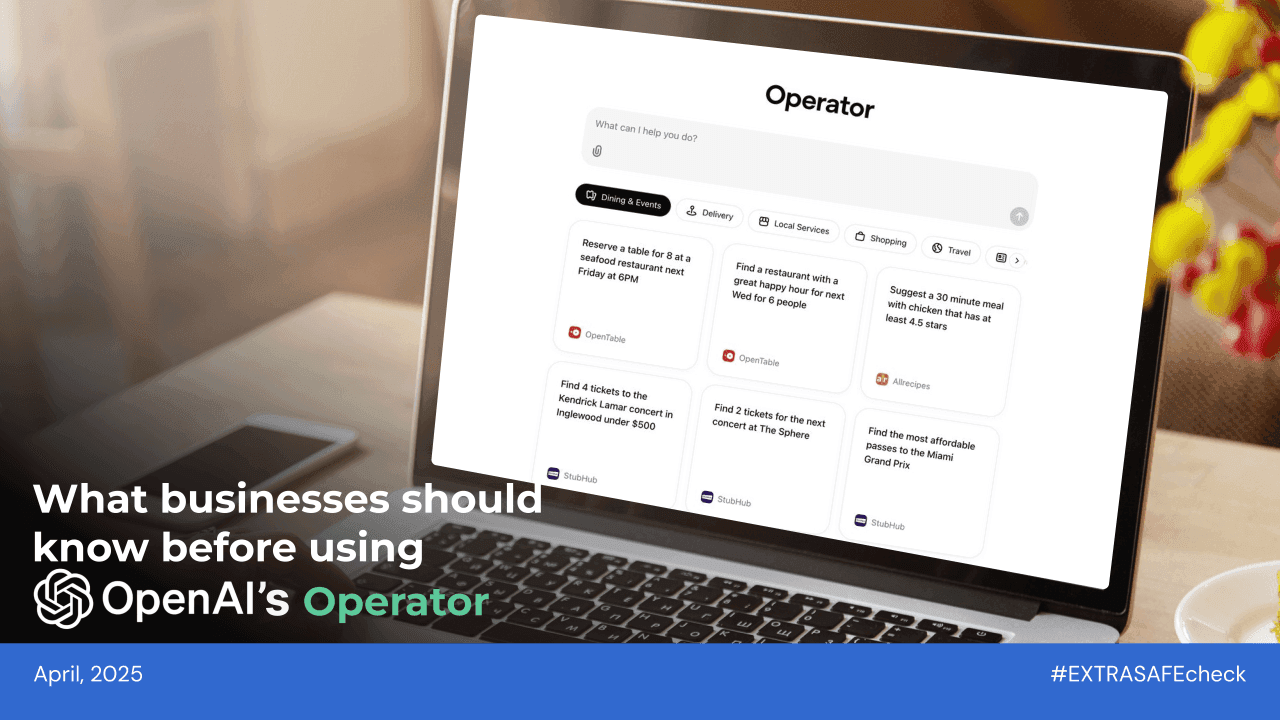
Not long ago, we were used to tech that waited for instructions. You clicked, typed, and it followed. But that idea is starting to change, as OpenAI recently introduced Operator — an AI assistant that doesn’t look or act like a typical chatbot. It goes far beyond that.
What’s OpenAI's Operator?
Operator is OpenAI’s new assistant, introduced in January 2025. Unlike typical chatbots that just respond with text, Operator is built to take action — clicking buttons, filling out forms, and navigating websites like a real user. It can handle tasks like booking appointments, placing orders, or helping with customer service — all without the need for APIs or extra setup. That’s exactly why it’s quickly gaining attention from professionals who want to save time on repetitive tasks and get things done faster without switching between tools.
Why Operator’s Privacy Policy Got Extra Attention?
Shortly after Operator’s launch, a few details in the privacy policy started getting attention. Media outlets pointed out that Operator stores user interactions for up to 90 days. That’s noticeably longer than ChatGPT, which keeps deleted conversations for 30 days. Reports also revealed that Operator takes screenshots during use, raising additional concerns about data privacy.
In a comment to TechCrunch, OpenAI defended the 90-day retention policy as a necessary step for ensuring safety. The company described it as part of a broader effort to monitor fraud and prevent misuse, pointing out that agents like Operator are still a new technology. By storing user interactions, including screenshots, OpenAI says it can better investigate potential abuse, even if the content has already been deleted by the user.
But the explanation didn’t stop criticism. Privacy advocates and some users argued that the policy still raises serious concerns about data exposure, especially given the sensitive nature of real-time user interactions and the unclear alignment with privacy regulations like the GDPR, particularly as the company has yet to launch Operator in Europe.
What Could This Mean for Teams and Businesses?
Before getting into data retention or the screenshot part, there’s something else worth knowing.
Operator doesn’t just give you answers — it can take action for you. That means logging into your company’s tools, filling out forms, or clicking through internal systems. On the surface, that sounds helpful. But the moment Operator starts doing tasks inside your organization’s platforms, you give OpenAI third-party access to those systems.
Since OpenAI stores interaction data and may take screenshots during use, this creates another layer of risk. Sensitive company information, internal workflows, or client details could end up being part of those stored sessions. Taking this into account, together with the 90-day data retention and the possible storing of screenshots, businesses should think carefully about how they use Operator:
Sensitive Data Exposure: Storing chats and screenshots for up to 90 days, even after deletion, creates a long window in which internal discussions, transactions, or client data could be exposed in case of a security breach or technical failure.
Compliance Uncertainty: Operator isn’t available in Europe yet, and its current approach to data retention may not align with stricter data protection laws. It also doesn’t offer the guarantees needed for handling regulated health data. That leaves a big question mark for companies operating under privacy frameworks like GDPR or HIPAA.
Operational Risk: Without clear internal policies, employees might share more than they should. From IP to client info, anything entered into the tool is stored for three months — making it easy to lose control of data, even unintentionally.
Be Careful About Third-Party Access: When Operator is used inside your company’s tools — like internal dashboards, HR platforms, or client systems — it acts as a third party moving through your workflow. To reduce the risk of exposing sensitive information, avoid connecting it to platforms that hold confidential data.
How to stay EXTRA SAFE on Operator?
Operator brings speed and convenience — but it may also come with elements you can’t fully control, such as its confirmed 90-day retention of user interactions and the reported use of screenshots taken during use. While there’s little you can adjust in how Operator handles that data, you can still take simple steps on your side to reduce what gets exposed and use the tool more mindfully:
Limit sensitive input: If possible, avoid sharing client data, internal documents, or financial details in conversations.
Educate your team: Make sure everyone understands how Operator works and what types of data should be kept out of it.
Stay informed: Monitor platform privacy policy updates and understand how your data is stored, used, and retained.
As digital tools become more advanced, they raise new questions about the data they collect and retain by default. More and more, tech companies are being challenged to design with privacy in mind — building systems that avoid unnecessary storage and reduce long-term exposure. At EXTRA SAFE, we see that responsibility as the core of what we do. That’s why we’ve built a P2P video conferencing platform with blockchain-level security, where data moves directly between devices, never touches a server, and disappears completely once the call ends. Try it now at extrasafe.chat
About #EXTRASAFEcheck:
New security risks pop up every day, spreading faster than ever. From AI flaws to data leaks, even the most popular apps can pose hidden threats, affecting both teams and individual users. That’s why our monthly review brings you the most important updates to keep you informed and protected. Follow #EXTRASAFEcheck to spot risks early and make safer online choices.