December 31, 2025
Categories:
The Rise of Matrix Push C2: New Browser-Based Phishing System Moving Across the Web
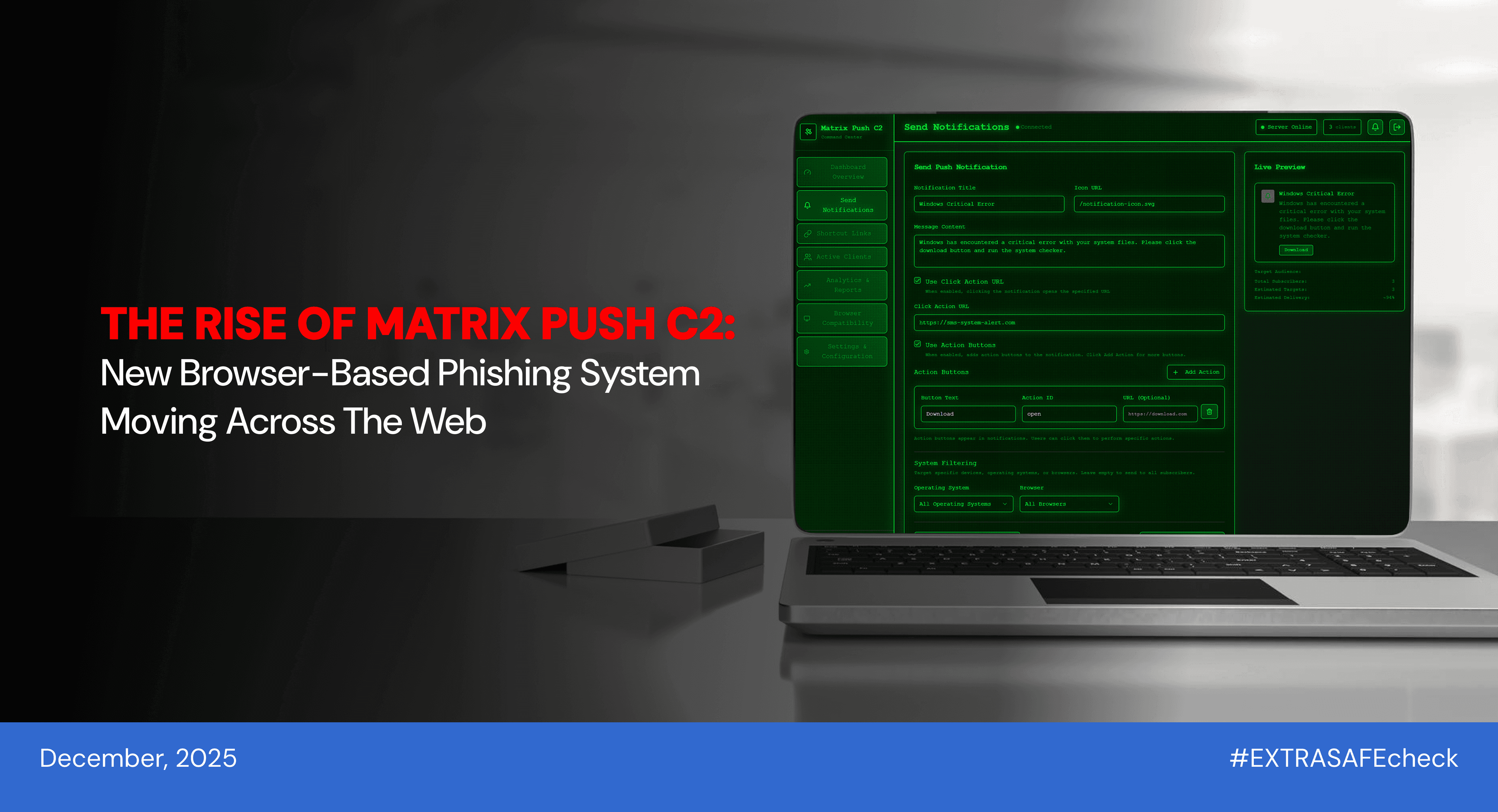
In recent weeks, a new name has slipped into threat-intelligence reports: Matrix Push C2. First identified in October 2025, it is already being described as a browser-based command-and-control system that uses web push notifications instead of classic malware files, with early sightings showing activity across Windows, macOS, Linux, and mobile browsers.
At its core, Matrix Push C2 abuses features that normally power helpful site alerts. By registering service workers and the Push API through websites under attacker control, it turns simple “Allow notifications” clicks into a quiet control channel. Instead of dropping visible executables, it delivers fake system messages and brand-themed pop-ups directly through the browser, gradually turning the browser itself into part of the attacker’s infrastructure.
Where And How It Happens
Criminal groups buy Matrix Push C2 as a SaaS-style malware-as-a-service (MaaS) platform on underground markets. Price bands from one-month to annual plans, giving attackers a ready-made control panel. Inside that panel, buyers get a web dashboard that lets them compose fake notifications, drop in brand-style templates for services like PayPal, MetaMask, Netflix, Cloudflare, and TikTok, and track which browsers are online and clicking. It’s like a “marketing automation platform.”
To reach real people, attackers then attach this service to websites they control. Some groups inject a small script into ordinary sites with outdated software, others reuse abandoned domains that still receive traffic, and many simply spin up clean-looking landing pages that copy familiar brands. All of these pages are configured to immediately prompt visitors to “Allow notifications.”
The moment someone accepts, the site registers a service worker, the browser creates a Push API subscription, and that subscription is sent straight into the Matrix Push C2 console - turning that browser into a persistent client that can be fed phishing links, fake alerts, and crypto or payment scams long after the original tab is closed.
From the user’s side, the journey is simple:
1.
The person opens the compromised or fake site and sees a prompt to “Allow notifications,” often framed as “click to continue,” “watch video,” or “confirm you’re not a bot.”
2.
When they click “Allow,” the site registers a service worker and creates a Push API subscription. The browser sends this subscription to the attacker’s Matrix Push C2 dashboard.
3.
The browser becomes part of the attacker’s C2 network. The operator can now push fake system alerts or brand notifications at any time, even when the site is closed.
4.
When the person clicks one of these notifications, they are redirected to phishing pages or malware download sites, where credentials, payment data, or crypto assets can be stolen.
Why It Matters: The Risk Behind the Notification
Cross-platform reach. Because it uses standard browser features (Push API, service workers), it works across Windows, macOS, Linux, Android, iOS - any device with a modern browser is vulnerable.
Fileless & low-noise. Traditional security tools and antivirus software often miss it, because no malicious binary or file gets downloaded at first. The only “malicious” parts are the notification content and redirect URLs - and those can be rotated quickly to avoid detection.
High scalability & low barrier. Because it’s sold as a subscription-based service, even moderately skilled cybercriminals can launch large phishing or malware campaigns. This democratization of C2-as-a-service lowers the barrier to entry.
Brand impersonation + high user trust. Notifications can be themed to look like official alerts from trusted services (financial platforms, software vendors, streaming or crypto services). This increases the likelihood of victims clicking.
Persistent channel. Once notification permission is granted, attackers can push alerts anytime - even when the malicious site is closed - creating a long-lasting infection vector.
5 Tips to Stay EXTRA SAFE from Matrix Push C2
1.
Be wary of “Allow notifications” prompts, especially on sites you don’t fully trust or which demand permission immediately (e.g., “click Allow to watch video,” “verify to proceed”). Ask yourself: do you really need notifications from this site?
2.
Regularly audit and revoke notification permissions in your browser settings. Remove any old or unknown sites from the approved list.
3.
Never click unexpected browser alerts claiming urgent security, updates, or account issues — especially if you're not actively using the related service. Instead, go directly to the real site via a bookmark or official app.
4.
Use browser security tools or hardened browser settings/policies (especially on enterprise or high-risk devices). Treat browser notifications as a potential attack surface.
5.
Separate everyday browsing from sensitive accounts. Use a dedicated browser or at least a separate browser profile for banking, email, and important services. This limits exposure if your main browsing profile encounters a malicious notification campaign.
About #EXTRASAFEcheck
New security risks pop up every day, spreading faster than ever. From AI flaws to data leaks, even the most popular apps can pose hidden threats, affecting both teams and individual users. That’s why our monthly review brings you the most important updates to keep you informed and protected. Follow #EXTRASAFEcheck to spot risks early and make safer online choices.