September 22, 2026
The Wallet Inside EXTRA SAFE Is Now Live: A Closer Look at an Updated Private, Self-Custodial Messenger
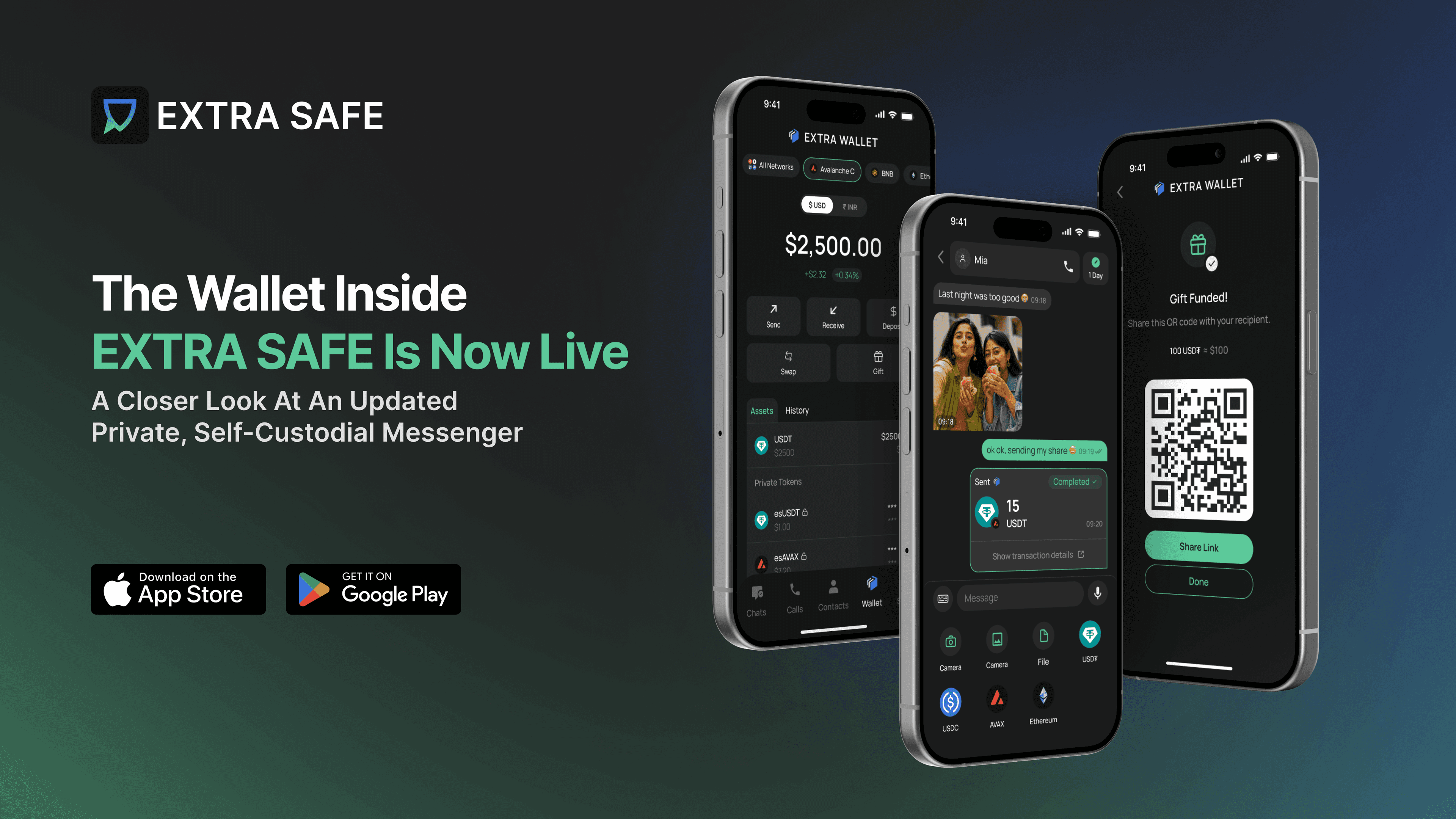
EXTRA SAFE just launched its biggest update so far, designed to move digital assets right where your everyday conversations live.
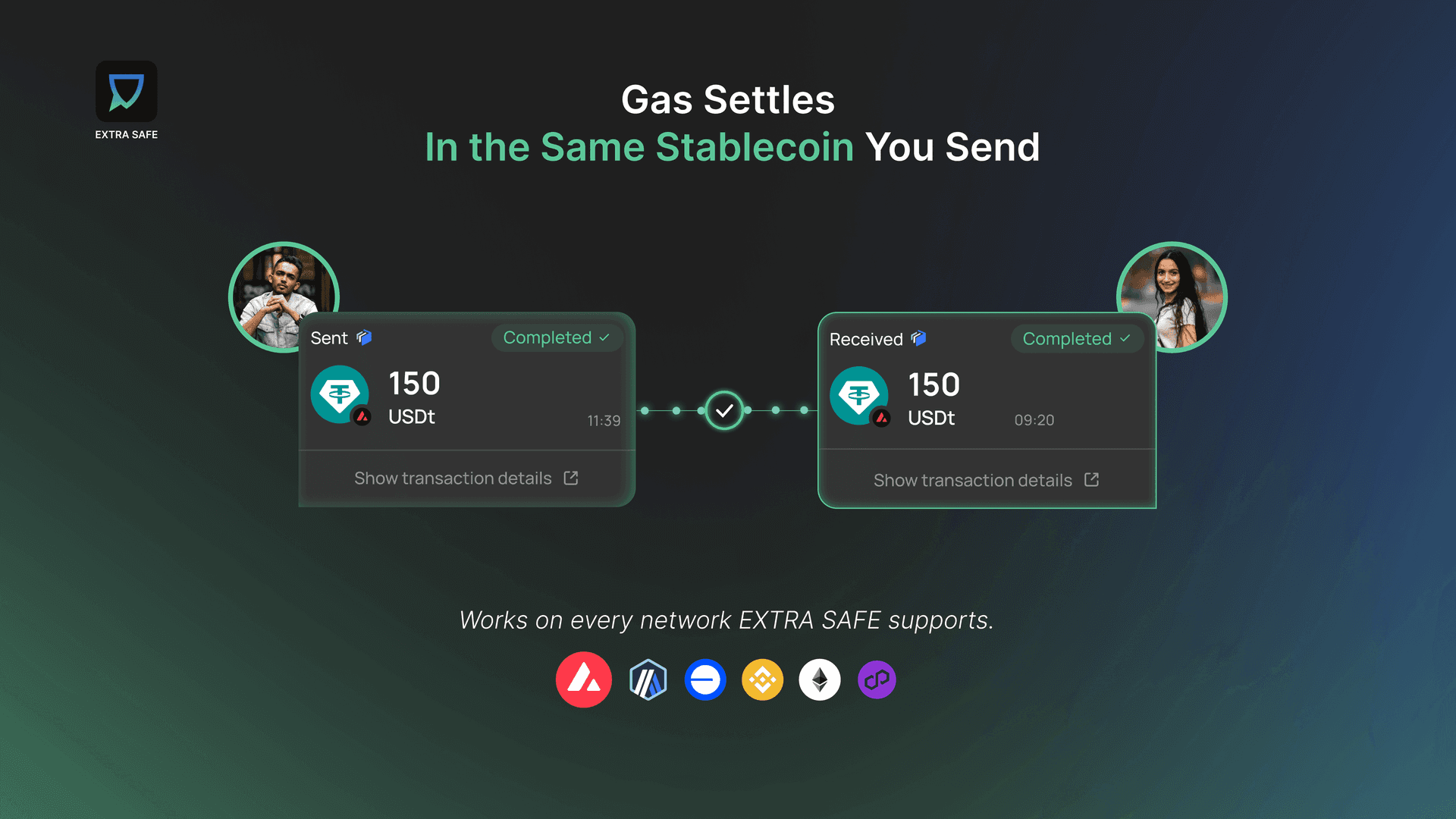
It’s a self-custodial messenger with a stablecoin-first wallet inside. Send USD₮, USDC, and other assets directly to a contact, just like sharing a photo — the app handles the address for you. Move funds across six networks, and pay gas using the same stablecoins you're sending.
EXTRA SAFE is privacy-first from the ground up. It starts with a wallet-based identity that enables both conversations and stablecoin payments without linking to a phone number, SIM card, or email. Just choose a display name and save your recovery phrase to activate your wallet. That’s all you need to get started.
The wallet is self-custodial, so you control your assets and conversations. No one else can freeze, hold, or manage your funds.
We ran a closed beta over the summer, and many new features come from user feedback. The beta has ended, but we’re still testing — join a live session with our team and help shape what comes next.
In this post, we’ll show you what’s new for EXTRA SAFE users: the features available now, what changed thanks to your feedback, and what’s coming next.
The Main Updates
If you’ve been following our progress, you probably know the concept we’ve been working on for months. It looks simple on the surface, but there’s a lot happening behind the scenes, and we want to explain it clearly.
Addressless Stablecoin Transactions in Chat
Addressless means the app handles sending to contacts — your people, for you. Just open a chat, pick the contact you’re talking to, choose a stablecoin and amount, and hit send. You only need to use a name you already know, and you can easily verify the person you’re transferring to by starting a brief video call. More about how in-chat payments work →
One tester in Nigeria said sending by name was the killer feature. He had spent years copying wallet addresses, pasting them, and double-checking the characters to avoid mistakes, especially when switching networks. With EXTRA SAFE, he just picked a name and sent. That was it.
Researchers at Carnegie Mellon University tracked this exact problem across Ethereum and Binance Smart Chain over two years and found more than 270 million attempts to trick people into sending funds to a lookalike address, affecting over 17 million victims. Confirmed losses came to at least $83.8 million — and separately, they traced $5.5 million lost purely to typos, with no scam involved.
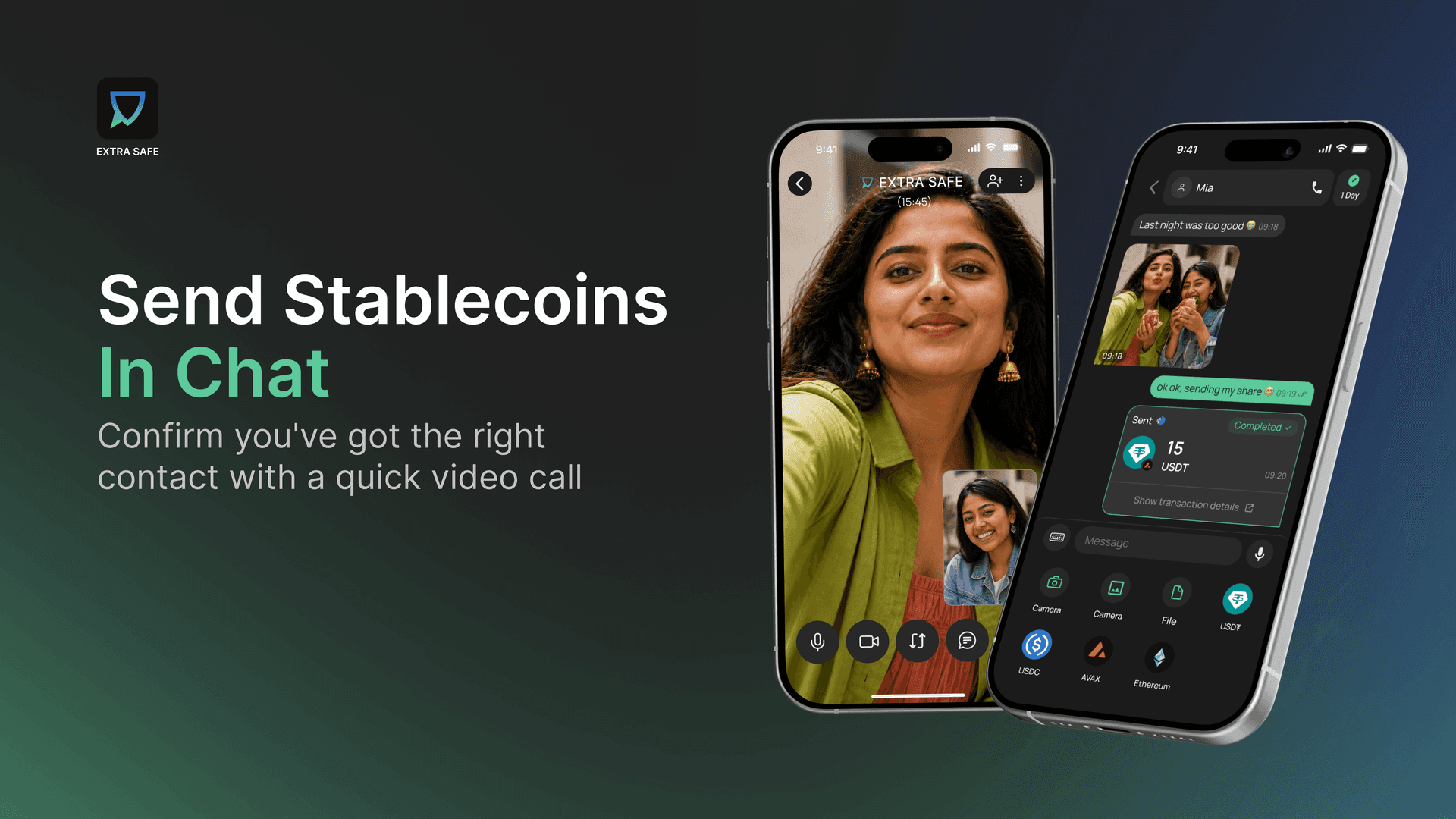
Pay Gas in Stablecoins
Stablecoins are quickly becoming the standard digital dollar. Every year, more stores and institutions accept them:
see what you can actually buy with them right now. Because of this, wallets need to let you pay gas fees with the same stablecoin you’re sending. It’s not just a bonus — it’s a must-have.
During the closed beta, one tester, G., described the alternative bluntly: needing a separate coin like ETH or BNB just to pay the fee is, in his words, "the biggest friction point for everyday users."
Keeping a second asset on hand for gas adds an extra step, causes confusion, and can stall a transaction outright if that balance runs dry. Paying gas in stablecoins removes all of that — the fee comes out of the same USD₮ or USDC you're already sending, so there's never a second type of asset to track down first
Being able to pay the fee in the same stablecoin I’m sending makes the whole experience much simpler and more intuitive.
Move and Swap Across 6 Networks
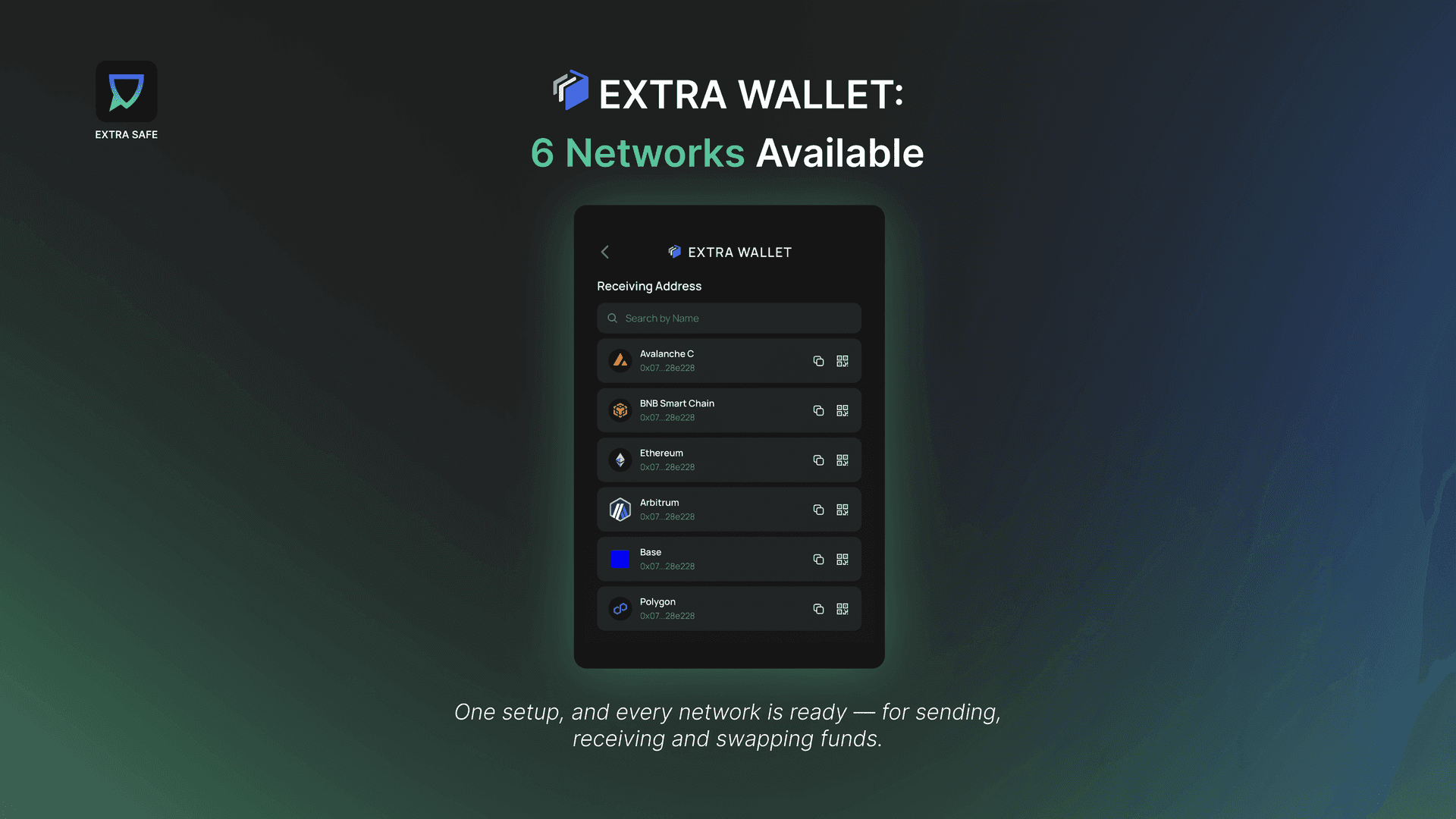
EXTRA SAFE works on six EVM-compatible networks: Avalanche, BNB Smart Chain, Arbitrum, Base, Ethereum, and Polygon. Set it up once, and you’re covered on all six. You don’t need a separate wallet or recovery phrase for each network.
Each network is included for a reason. Avalanche is the default because it settles transfers in under a second at a low cost, and it’s also where an important feature in this release appears first (more on this below).
BNB Smart Chain offers the widest selection of tokens for users in Asia’s exchange-heavy market. Arbitrum and Polygon keep everyday transfers cheap, often just a few cents per transaction. Base brings the momentum of the Coinbase ecosystem to consumer payments. Ethereum remains because it offers the deepest access to DeFi and the broadest asset compatibility.
You don’t need to worry about any of this to use the wallet. Just pick an asset, send it, and EXTRA SAFE handles the rest in the background.
Send Stablecoins to Any External Wallet, Right From Your Messenger
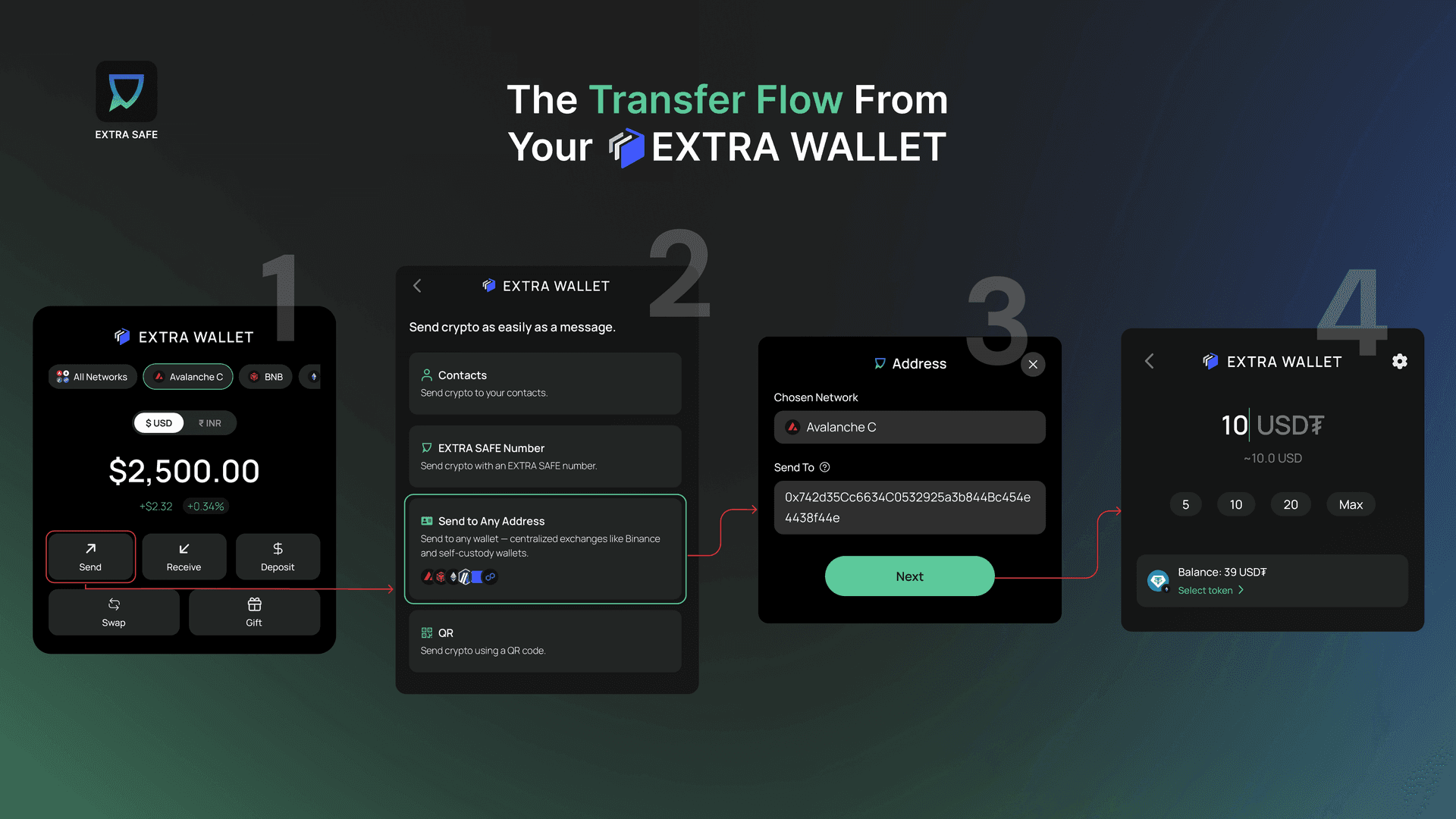
Inside a chat, sending to a contact never needs an address — you just pick that option right inside the conversation you're already having with them. Does that mean stablecoins can only move between contacts inside your messenger? Of course not.
EXTRA SAFE has a standard Ethereum wallet under the hood, so sending out to any external self-custodial wallet or centralized exchange like Binance works at regular network fees, no different from any other wallet you've used.
Stablecoin payments work both ways here:
- •
simple and addressless, right in chat, with the people you transact with frequently,
- •
or wide open, sending assets anywhere, to anyone, by wallet address.
See the Cost Before You Send
Sending inside EXTRA SAFE settles a small fee plus the network's gas, and the estimate you see before confirming is what you're actually charged. Swaps and Gift Links follow the same structure, with a small fee added on top. For the full breakdown, see what fees apply to transactions inside EXTRA SAFE.
Gift Your Closest People with Stablecoins
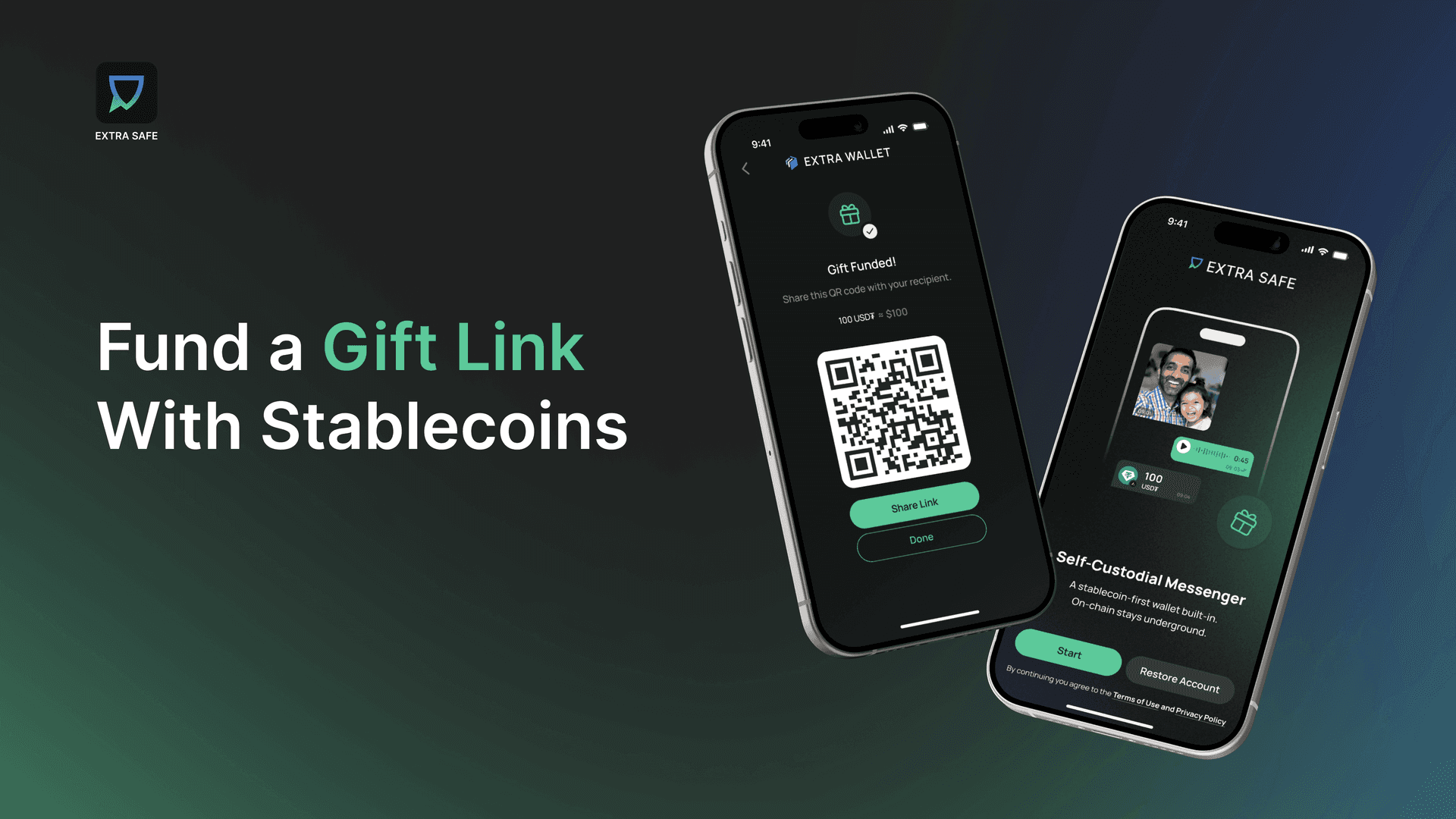
Usually, to receive your first stablecoin, you need a wallet that’s already set up. This is a real barrier for anyone new to crypto, and it came up often in testing as one of the hardest parts of the experience, especially when bringing friends and family into stablecoins.
This release offers a solution: Gift Link. It’s a link or QR code with stablecoins already loaded. Share it with someone, and when they tap it, their wallet is ready and funded. See it in action.
Private Balances on Avalanche
When you send a stablecoin on most chains, the transaction stays on a public ledger forever — the amount, the address, everything is visible to anyone. This usually isn’t a problem when the funds move between wallets, but it can be when they are used at checkout and more places start accepting them.
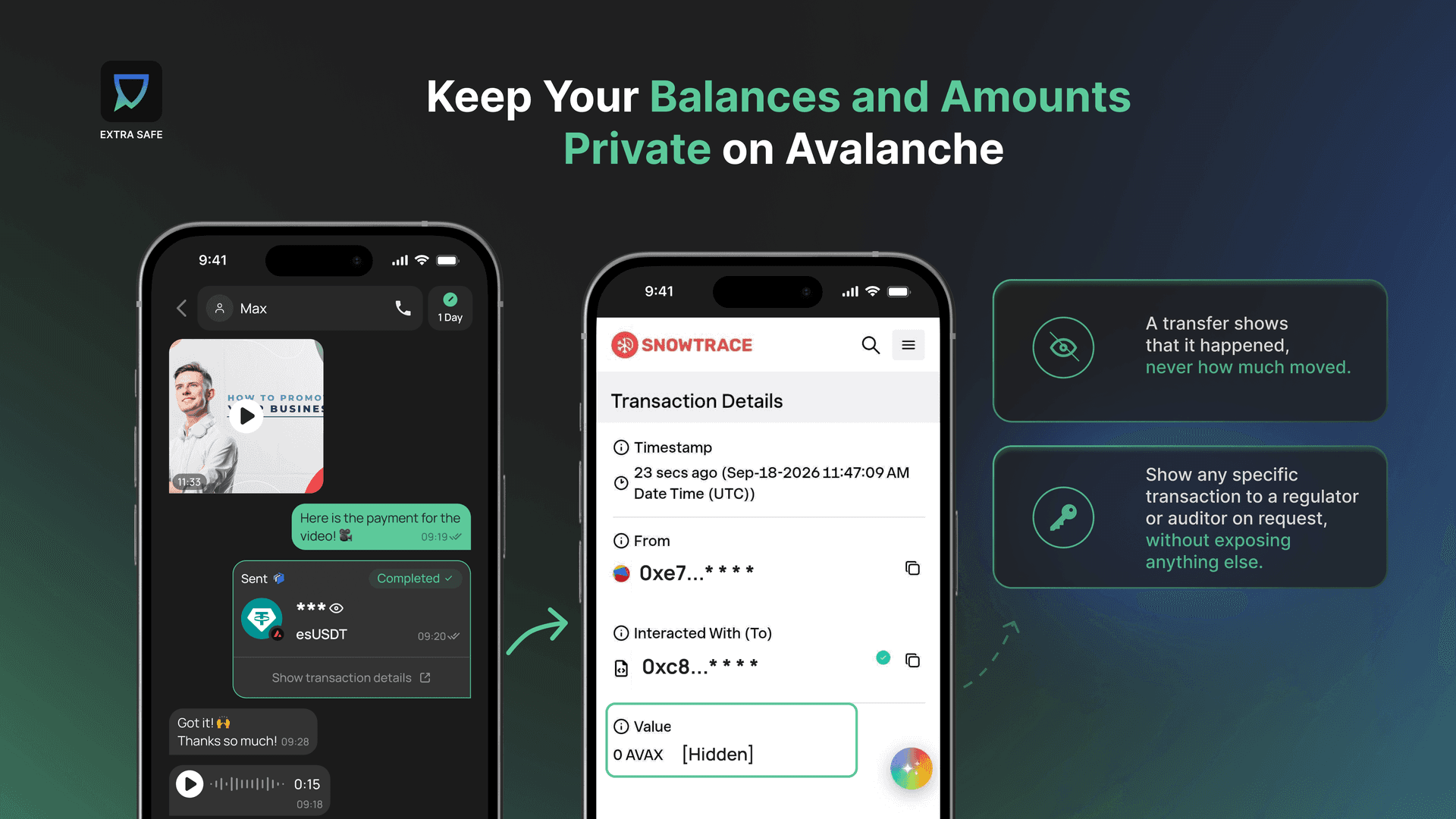
Avalanche built a fix for exactly this: eERC, an encrypted standard that keeps a transfer verifiable on-chain while keeping the amount private.
EXTRA SAFE's Private Balances are built on it, and cover two separate things:
1.
Your balance can stay hidden even if you never send it anywhere.
2.
And when you do send it, who you're paying still shows up on-chain, but how much never does.
Here’s how it works. In the Wallet tab, under your assets on Avalanche, there’s a section for Private Balances. Tap once to convert your regular stablecoins to their private versions, or switch back, in just a few taps. By default, your balance shows as a row of asterisks. Use your biometrics to reveal the real number, and it hides again when you look away. Switching between private and public takes only a few seconds.
Updates Inspired by Our Beta Users
The features above are the main highlights. But testers also found a few smaller issues — the kind of fixes that only appear when real people use the app.
- •
A full fee breakdown on the confirmation screen, so you always know what you're paying before you send.
- •
All six networks are visible and switchable from the first screen, so the wallet never reads as single-chain.
- •
Interface hints on the Receive screen, so it's clear what an address is for and which networks it covers.
None of these are finished yet. We’re still improving the features and the interface, and you can still join in. We call it the Insiders Hub. Apply, join a call with our team, and test what’s coming next before it launches. You can also join our Telegram community to share suggestions directly.
Apply here →
EXTRA SAFE Is Built to Keep You in Control
Two things support everything you’ve just read: the parts of the architecture you don’t see every day, but that make all these features possible.
Self-Custodial and Private by Default
EXTRA SAFE doesn’t hold your keys, funds, or conversations — you do. Messages are end-to-end encrypted and disappear by default. The wallet stays self-custodial: the recovery phrase exists only where you keep it, plus an encrypted backup if you choose to use it. You own your assets and conversations.
It’s already the foundation of every feature in this release, from Private Balances to the wallet itself. What we’re adding next is a way for anyone to verify these claims independently, not just trust us. This includes audits, certifications, and public reporting. Security audits are already underway, and the full architecture is explained in our Technical White Paper.
An Encrypted Backup, So You're Never Locked Out
A recovery phrase is the only thing protecting your self-custodial wallet from permanent loss, and it’s often hardest to keep safe when you need it most.
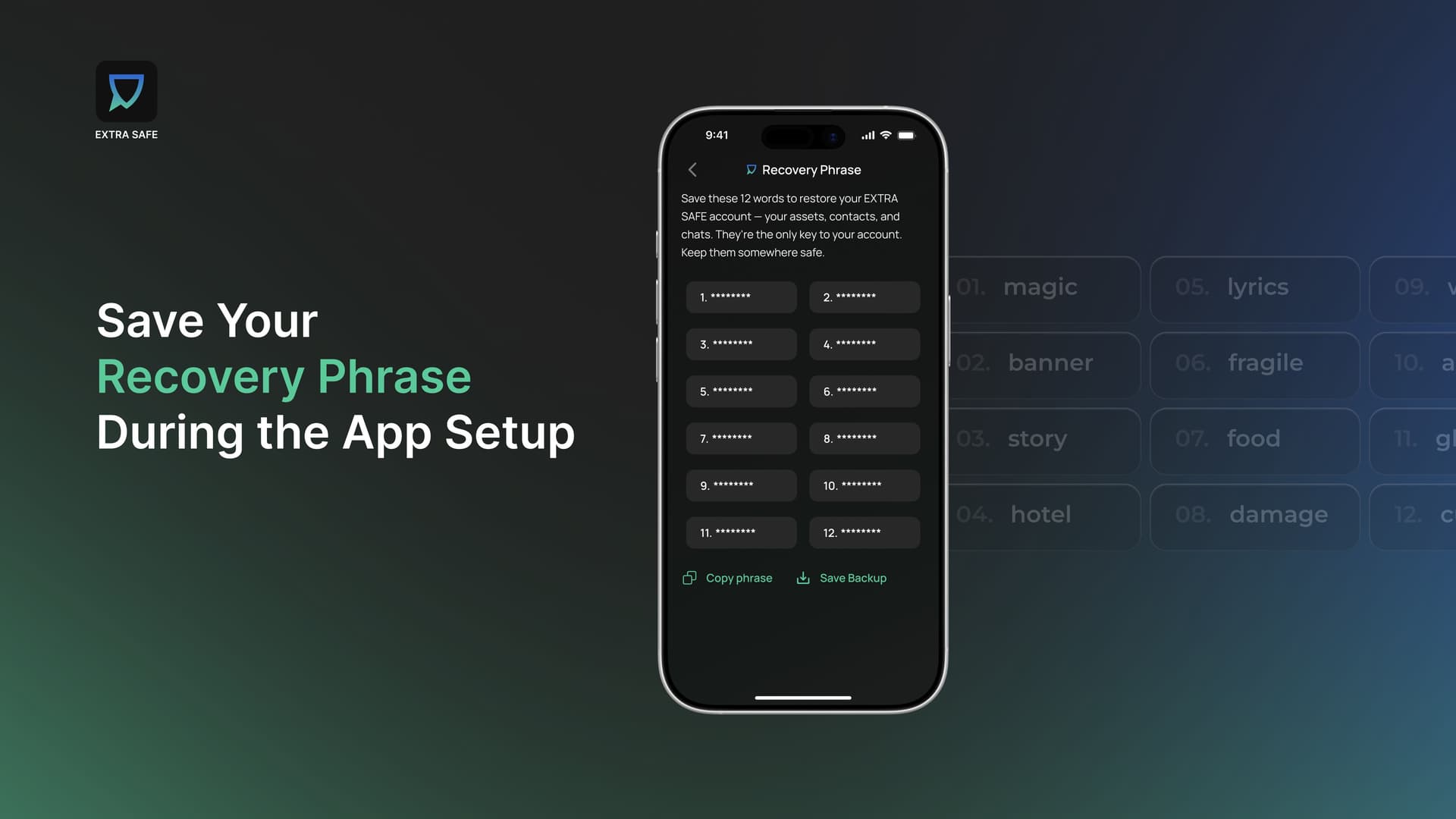
During setup, EXTRA SAFE asks you to save your recovery phrase and offers several ways to do it. You can copy and store it wherever you trust, and that option is always available. Or you can download it as an encrypted, password-protected backup file, and save it to your own Google Drive or iCloud if you want.
All of these options offer the same guarantee. Encryption happens on your device before anything leaves it, so you’re the only one who ever has the key to read it. Whether the file is on your own drive, Google Drive, or iCloud, your phrase stays as private as the wallet it protects.
Everything described above is already in the app. Update EXTRA SAFE if you have it, or download it now if you don’t. Give it a try.