July 20, 2026
Categories:
Your First Day Inside EXTRA SAFE: From Setting Up Your Private Identity to a Confirmed Transfer in Chat
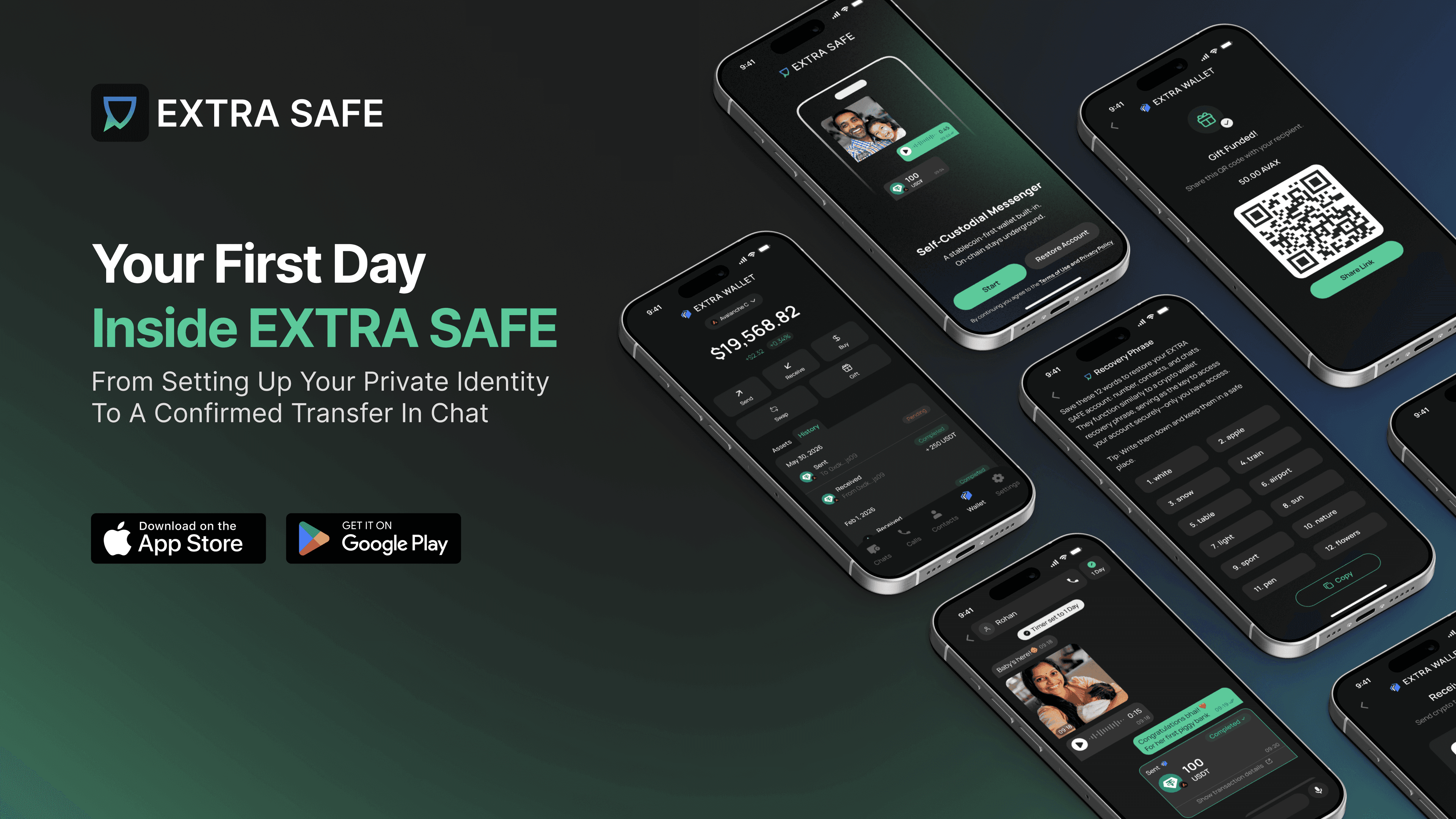
EXTRA SAFE is a self-custodial messenger with a built-in stablecoin wallet, and it's already running on real phones. The beta continues through July. Full launch comes in August 2026.
Here’s what you can expect: set up a private identity for chats and tokenized assets, get a recovery phrase to protect both, and make your first stablecoin transfer right inside any conversation.
The beta is still open, so you can join at any point and get your hands-on experience. Until then, dive in — we’ll explain what your first steps in EXTRA SAFE might look like.
1. Choose a Name: That’s All You Need to Start
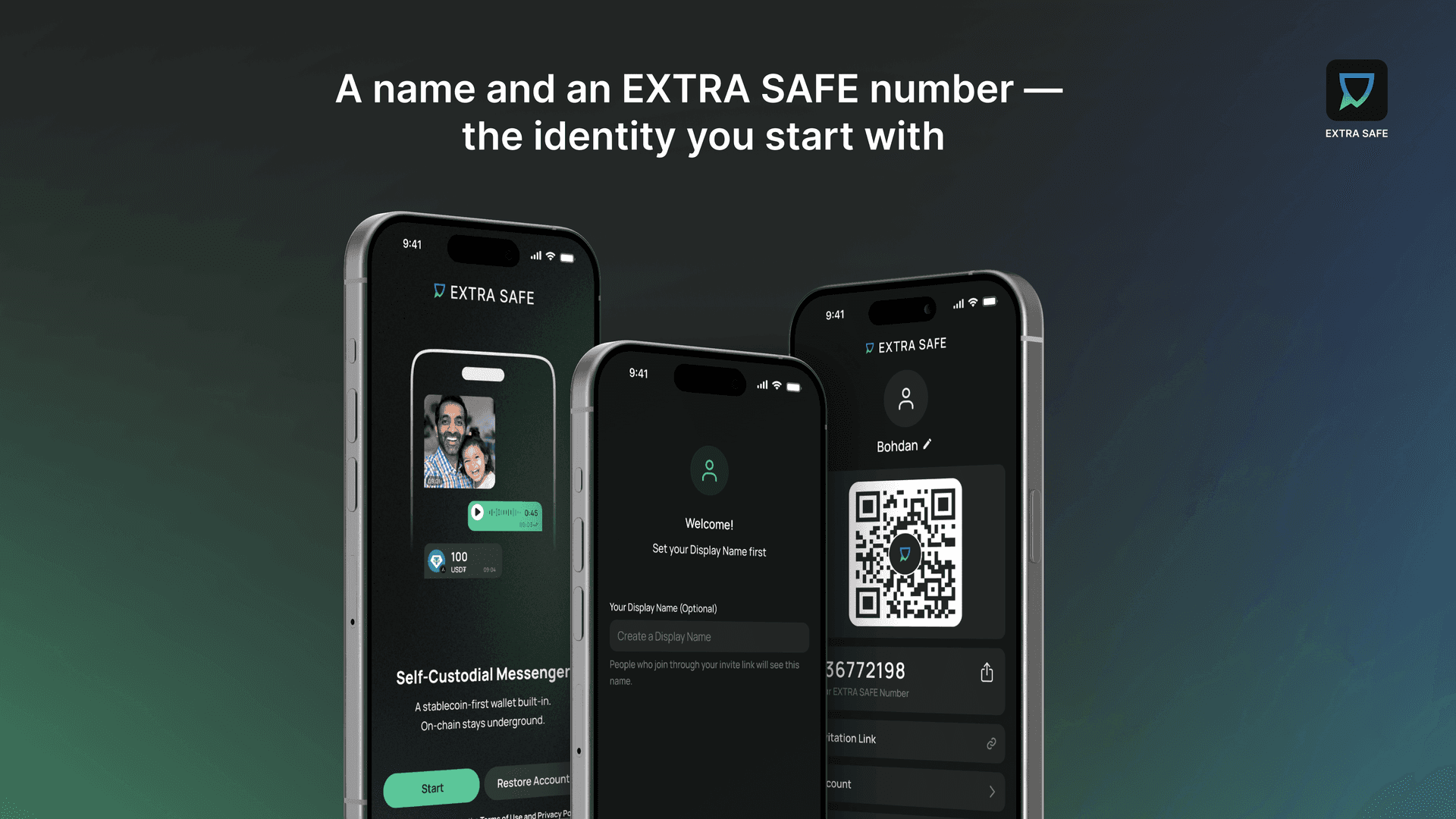
Most messaging apps want to get every piece of data about you right away, like your phone number, email, and access to your contacts. On EXTRA SAFE, even the display name is optional- the one your contacts will see.
When you finish onboarding, you get an EXTRA SAFE number, which is just a string of nine digits. These are the only identifiers on the surface. Underneath, the app creates a cryptographic identity on your device: a key pair, where one part lets others verify you, and the other part stays on your phone. Your name and number are all you need to chat, call, and receive tokenized dollars, since people send money to contacts, not to addresses.
One beta tester used the app on satellite Wi-Fi without a SIM card. "You can chat without a phone number. I love that," they told us. "When we get that temporary number, that becomes our identity."
2. Save the Recovery Phrase: The Self-Custody Begins
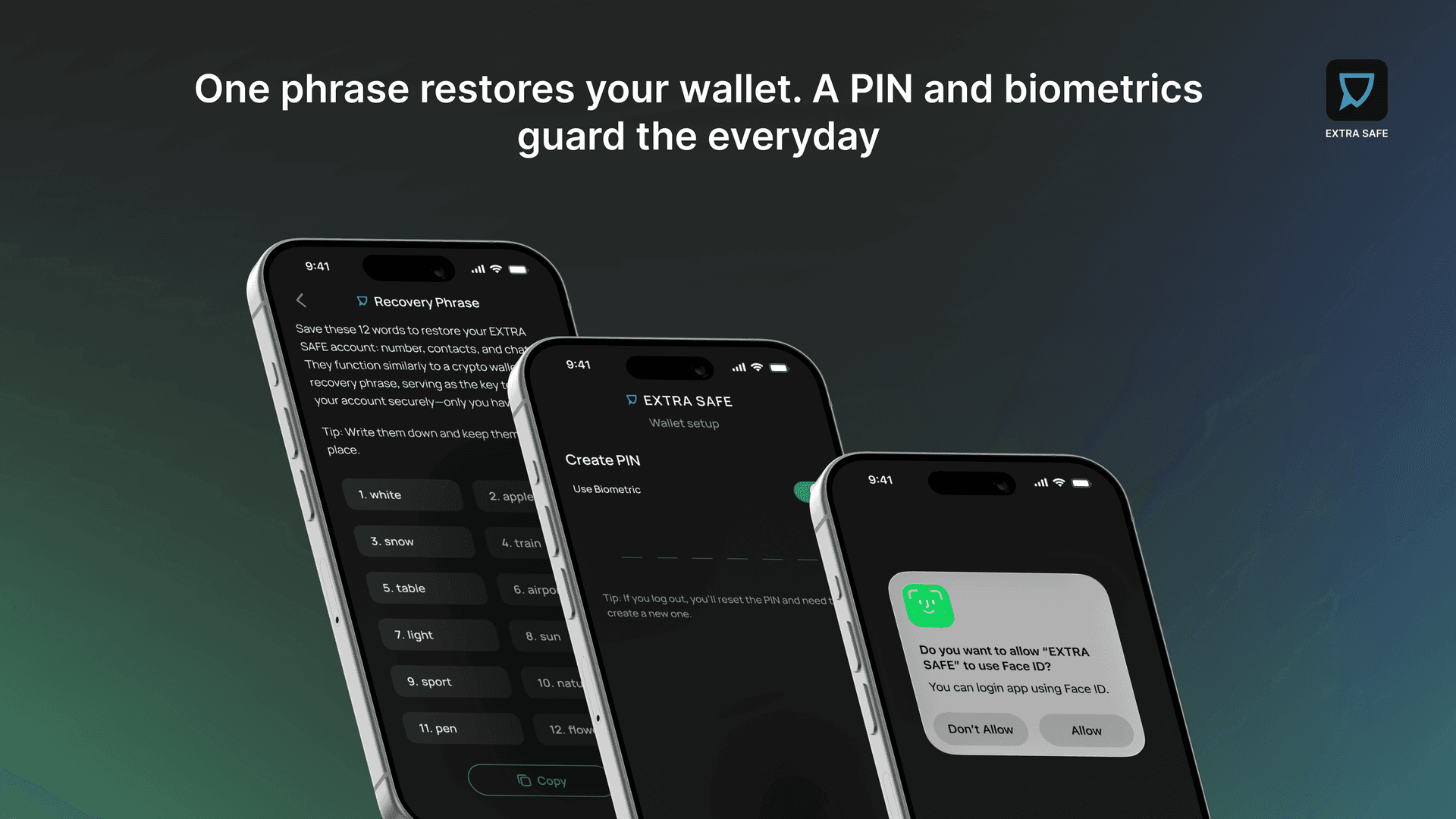
The wallet has its own tab, next to Chats and Calls. When you open it for the first time, you’ll see a setup screen saying your EXTRA WALLET is ready. Tap Start, and the next screen shows your recovery phrase with a clear message: this is the only way to recover your wallet.
Let’s pause here, because this screen answers a common question: who controls the assets? You do. The phrase is created on your device. EXTRA SAFE never sees it and can’t restore it for you. That might sound like a warning, but it’s actually the point. A wallet the company can’t access is one that exists independently. If you save the phrase, your balance is safe even if you lose your phone or delete the app.
Saving your phrase is simple: you can copy it or download it as a TXT file, check the confirmation box, and set a PIN with Face ID for daily access. The phrase is only needed for recovery.
We’ve created a separate guide on how to store your recovery phrase, including where to keep it and where not to.
3. Fund Your Wallet
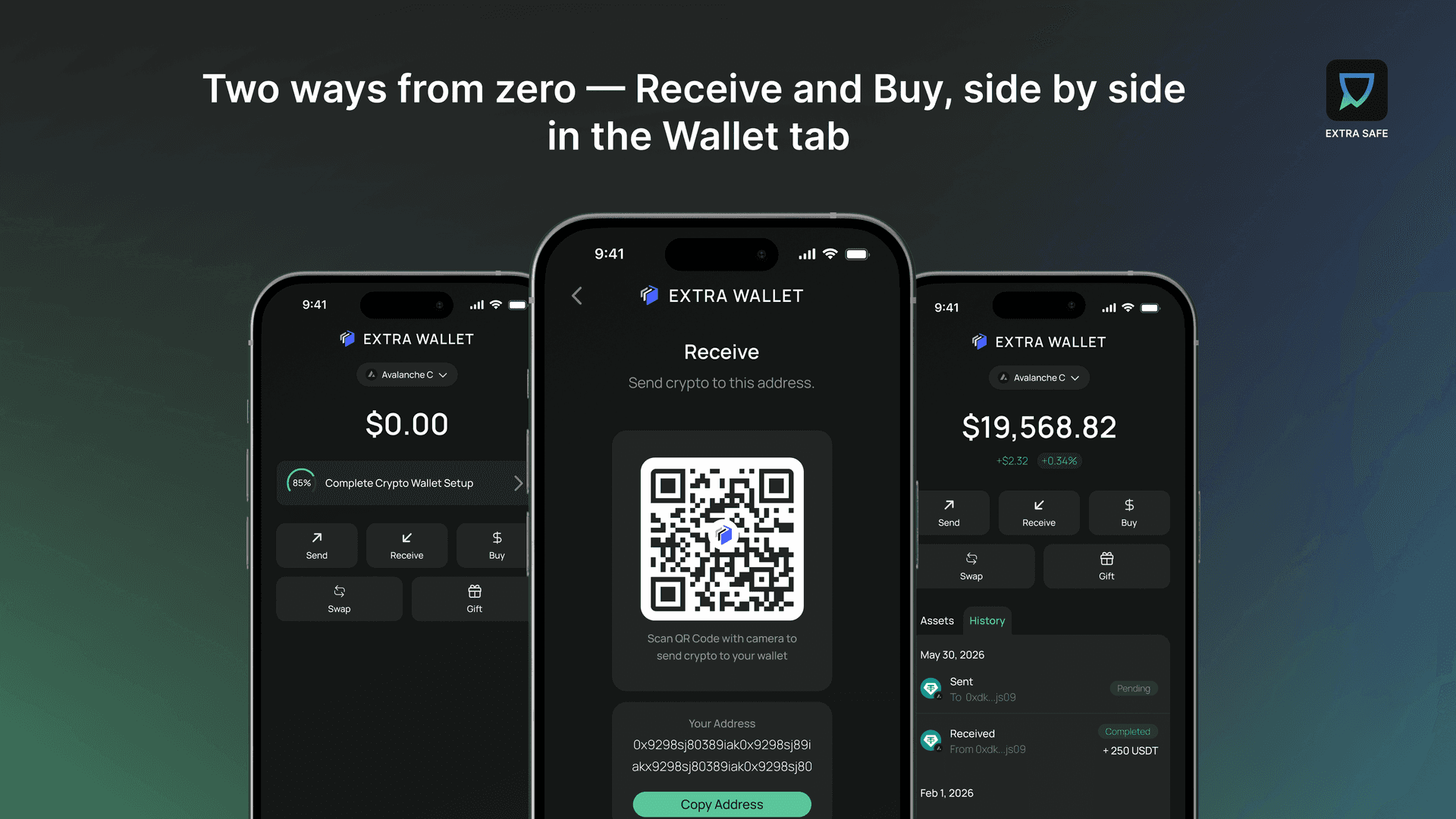
When you open a new wallet, it starts at zero. There are two ways to add funds. The usual way is to receive: you get your address and a QR code, ready for a transfer from an exchange, another wallet, or a client paying in USD₮. The Buy option is right next to it for in-app top-ups.
At the top of the screen, you’ll see the network selector. The wallet works across multiple EVM chains, and your balance combines assets from all networks into one total, with Avalanche as the default. No matter which network your first tokens come from, they appear in one place and can be moved from there.
4. Send Stablecoins Inside the Conversation
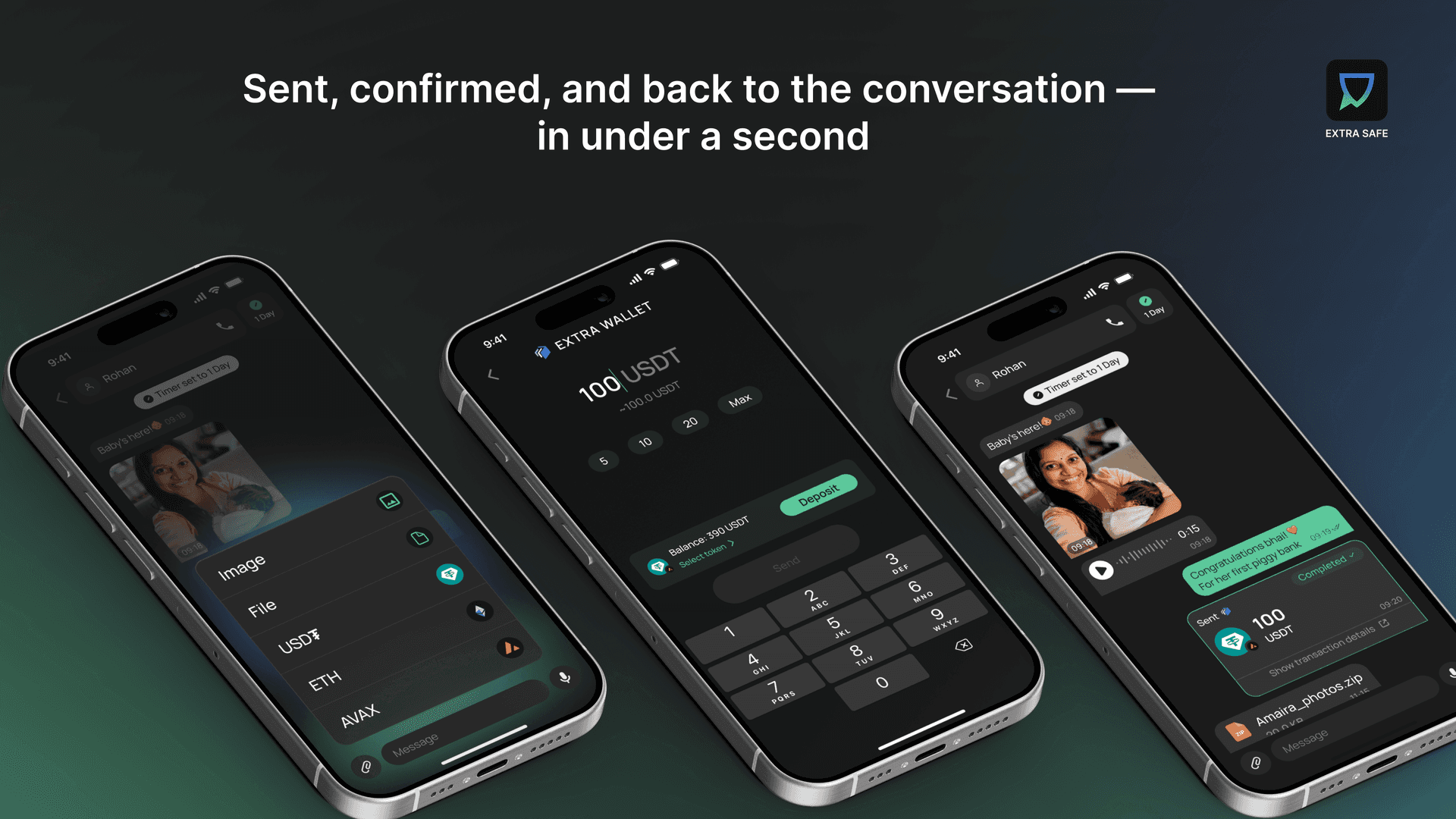
With EXTRA SAFE, the stablecoins move right where the messages do. You open a chat, and the send option is in the same menu as photos or file sharing. Choose a token, enter an amount, confirm, and you’ll see the status change from pending to confirmed almost instantly. On Avalanche, the default blockchain, this takes less than a second. Instant payment confirmation is just how it works.
The transfer goes to a name in your contact list, like any other chat action. The address stays hidden in the background.
Testers noticed the speed right away. "It was the fastest transaction that I have ever seen, actually," one beta participant told us. This tester is a daily trader who knows what slow looks like. You can read more feedback from early testers in the Phase One results.
5. On-Ramp Your Closest People
You can invite them the usual way, with a link to the app. Or you can go one step further and send a gift link — an invite with a balance attached. Your friend taps it, sets up their account, and sees their first USD₮ already in their account.
What the August Launch Adds
That’s what day one looks like right now: you set up your identity, keys, balance, and can send money. The August launch will add the features that make EXTRA SAFE unique, which Phase Two of the beta is testing now.
The gas pays itself. The network fee is settled in the same USD₮ you're sending, so the stablecoin you hold is the only balance you need. We broke down how a stablecoin pays its own gas in a separate post.
Intent-based cross-chain. Send whatever token you want the recipient to get, even without holding it. The routing runs underneath.
Gift links. A funded link that creates a wallet for the recipient the moment they tap it — a first balance for someone who has never held tokenized dollars.
The beta continues through July. Full launch: August 2026.
JOIN THE BETA →